 No-ETL data ingestion
Centralize every database into your data lake — with zero pipelines
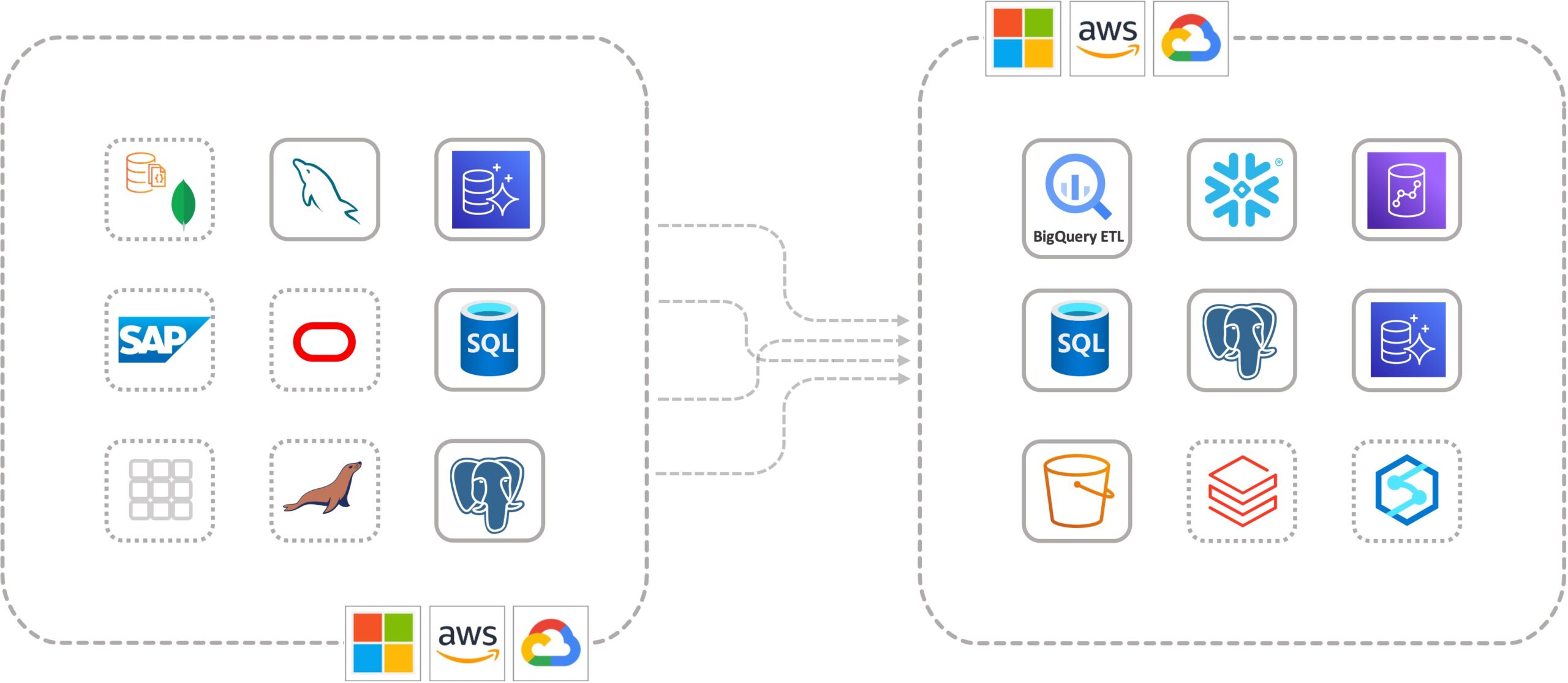
CloudBasix Zero-ETL automatically ingests and centralizes data from many sources — Azure SQL, Aurora PostgreSQL/MySQL, Amazon RDS, Google Cloud SQL, SQL Server — into S3 data lakes, Snowflake, BigQuery, Aurora, RDS and Cloud SQL. No scripting, no pipelines to maintain.
Built on 10+ years of database-replication evolution. Looking to replicate multi-tenant SQL Server between clouds? See the InterCloud Replication edition →

Centralized data without the pipeline tax
Stand up zero-ELT data pipelines in minutes — and because everything runs inside your own cloud, your data never crosses a regulatory boundary.
No scripting, zero-ELT data pipelines. Launch the AMI, point at a source and target, and start streaming.
A cloud-native solution that processes data safely inside your own infrastructure — as secure as the infrastructure itself.
Because data moves within your cloud environment, it never leaves your regulatory-compliant boundary.
Many sources in, any target out — one engine in your VPC
CloudBasix Zero-ETL reads changes from your operational databases via change data capture and continuously lands them in your data lake or warehouse — transforming schema and types automatically, with no staging and no ETL code.
Log-based CDC tracks inserts, updates and deletes on each source with no load on production.
Schema and types map to the target automatically — with sensible defaults you can override.
Data streams continuously into your lake or warehouse, ready for analytics and BI.
Connect what you have to where your analytics live
From launch to first sync in four steps
Deploy from AWS Marketplace into your own VPC, connect your databases through a browser, and create a replication task — no scripting required to start.
Launch CloudBasix Zero-ETL from the AWS Marketplace, or from a private AMI, into your own Virtual Private Cloud.
Open port 80 in the security group and browse to the public DNS root URL. Log in with user admin and your EC2 Instance ID as the temporary password.
Configure an IAM role letting the CloudBasix EC2 access S3, add an inline policy restricting it to the target bucket, and attach an EC2-S3 trust policy scoped to that one instance.
Pick a source and target, choose folder structure and naming for S3, select tables, and let CloudBasix apply transformation defaults — or customize them.
Create a custom cluster parameter group inheriting the default, set the value below, and restart the instance. SQL Server uses native CDC — no parameter change required.
rds.logical_replication = 1
binlog_format = ROW
native CDC · no change
Automate replication tasks programmatically
Everything you can configure in the UI is available over a REST API — define source, target, transformation policy and table set in a single call.
Your data never leaves your environment
The engine runs entirely inside your VPC. Because data moves only within your cloud, it stays inside your regulatory boundary — helping you meet industry security and residency requirements.
No external data plane; you own the network path.
Trust policy authorizes only the CloudBasix instance to the target bucket.
Data never crosses your regulatory boundary.
Works over any VPN; supports cross-cloud Active Directory.
Enterprise-grade data replication, trusted by data-driven companies
10+ years of software evolution led to today's enterprise-grade replication technology — powering analytics, BI and disaster recovery for regulated and global teams alike.
“We use CloudBasic to continually replicate our databases into one place where we centralize and consolidate data and generate updated reports in real time. Fast, reliable, with a very intuitive interface.”
Start centralizing your data today
Launch from AWS Marketplace, or request a no-cost proof of concept with our advisory support team.